
Copy of Tines Templates
Automate your security workflows with prebuilt Tines templates that integrate directly with the Stairwell API.
Stairwell Integration Package
Note: This comprehensive integration package is currently pending review from Tines Support for inclusion in the official Tines Template Library.
What's New
Stairwell now offers a complete integration package for Tines that extends far beyond the original templates. This production-ready package includes 45 pre-configured actions covering the full breadth of the Stairwell API, along with 5 real-world example workflows.
Download the Integration
Repository:
What's Included
Core Integration (42 Actions)
The complete integration provides organized access to all Stairwell capabilities:
File Operations (6 actions)
- File Enrichment - Get comprehensive file intelligence
- Variant Discovery - Find related malware variants
- File Upload (Intake) - Submit files for analysis
Object Analysis (6 actions)
- AI Triage Summarize - Get AI-powered threat assessments
- Object Sightings - View where files have been seen
- Object Opinions - Access analyst judgments
- Detonation Trigger - Start dynamic analysis
- Detonation Get - Retrieve analysis results
- Run To Ground Generate - Create impact scoping reports
Network Intelligence (17 actions)
ASN Intelligence
- ASN Get WHOIS - ASN registration data
Hostname Intelligence
- Hostname Get - Hostname metadata
- Hostname Get Resolutions - DNS resolution history
- Hostname Batch Get Resolutions - Bulk DNS lookups
IP Address Intelligence
- IP Address Get - IP metadata and reputation
- IP Cloud Provider Lookup - Identify cloud hosting
- IP Get Hostnames - Reverse DNS history
- IP Get WHOIS - IP registration data
Network Utilities
- Cloud IP Ranges - Get cloud provider CIDR blocks
- Canonicalize Hostname - Normalize domain names
- Batch Canonicalize Hostnames - Bulk domain normalization
- Compute ETLD+1 - Extract root domains
- Batch Compute ETLD+1 - Bulk root domain extraction
- Canonicalize URL - Normalize URLs
- Batch Canonicalize URLs - Bulk URL normalization
Assets & Tags (6 actions)
- List Assets - Enumerate monitored assets
- Get Asset - Retrieve asset details
- Create Asset - Register new assets
- Update Asset - Modify asset metadata
- Add Asset Tags - Apply classification labels
- Remove Asset Tags - Remove labels
YARA Rules (6 actions)
- List YARA Rules - View all custom rules
- Get YARA Rule - Retrieve rule details
- Create YARA Rule - Deploy custom detection logic
- Delete YARA Rule - Remove rules
- Query YARA Matches - Find matching files
- Add YARA Rule Tags - Organize rules
Threat Reports (5 actions)
- Create Threat Report - Document threats
- List Threat Reports - Browse reports
- Get Threat Report - View report details
- List IOCs in Report - Extract indicators
- Delete Threat Report - Remove reports
Example Workflows (5 Stories)
Production-ready workflows demonstrating real-world use cases:
1. SOC Alert Enrichment (9 actions) Automatically enrich security alerts with Stairwell intelligence:
- Receives alerts from SIEM/EDR via webhook
- Enriches file hashes with reputation and AI triage
- Updates tickets in Jira/ServiceNow with context
- Posts high-priority findings to Slack
2. Threat Report Impact Assessment (7 actions) Evaluate organizational impact of emerging threats:
- Ingests threat reports from external sources
- Cross-references IOCs against Stairwell data
- Identifies affected assets and prevalence
- Creates impact documentation in Confluence/Jira
3. Automatic Run-to-Ground Scoping (8 actions) Generate comprehensive incident scope automatically:
- Triggers on confirmed malicious file detection
- Generates RTG report showing full blast radius
- Tags all affected assets
- Creates IR tickets and pages on-call if multi-asset spread
4. ActiveDNS Infrastructure Investigation (8 actions) Investigate suspicious domains with DNS intelligence:
- Receives suspicious domain from proxy/DNS logs
- Pulls DNS resolution history via Hostname APIs
- Enriches all resolved IPs with WHOIS and cloud data
- Aggregates infrastructure timeline in Jira
5. Rare Files Hunt (10 actions) Proactive threat hunting for low-prevalence files:
- Runs daily on scheduled trigger
- Queries sensitive assets for rare files
- AI triage analysis on suspicious findings
- Discovers variants of concerning files
- Creates Jira tickets and emails daily summary
Migration from Original Templates
If you're currently using the original 6 Tines templates, this comprehensive integration provides enhanced versions
Migration is optional - Your existing templates will continue to work. The new integration can be imported alongside existing workflows.
Support Channels:
- Stairwell Support: [email protected]
- Tines Support: https://www.tines.com/support
Frequently Asked Questions
Q: Can I use both the original templates and the new integration? A: Yes, they can coexist. The new integration is a separate story and won't interfere with existing workflows.
Q: What if the Stairwell API changes? A: We'll update the integration to match API changes.
Q: Do I need all 45 actions? A: No. Import the complete story, then use only the actions you need. Unused actions won't impact performance.
Q: Can I customize the example workflows? A: Absolutely! The examples are starting points. Customize them for your specific SIEM, ticketing system, and notification channels.
Q: What about rate limits? A: All actions include retry logic for HTTP 429 (rate limit) responses. Requests automatically retry with exponential backoff.
Original Tines Templates
The original individual templates remain available and supported for users who prefer a more focused approach:
- Run to Ground (RTG)
- Get File Hash Reputation
- Get Dynamic Analysis Report
- Upload a File
- Create a Tag for a File
- Create Job for Dynamic Analysis## Overview
Stairwell provides a collection of Tines templates to help security teams automate common investigation and enrichment tasks. These templates leverage the Stairwell API, allowing you to seamlessly trigger file uploads, run dynamic analysis, retrieve threat intelligence, and tag files — all from within Tines.
Each template can be added to your Tines stories with minimal setup, accelerating your incident response and threat hunting workflows.
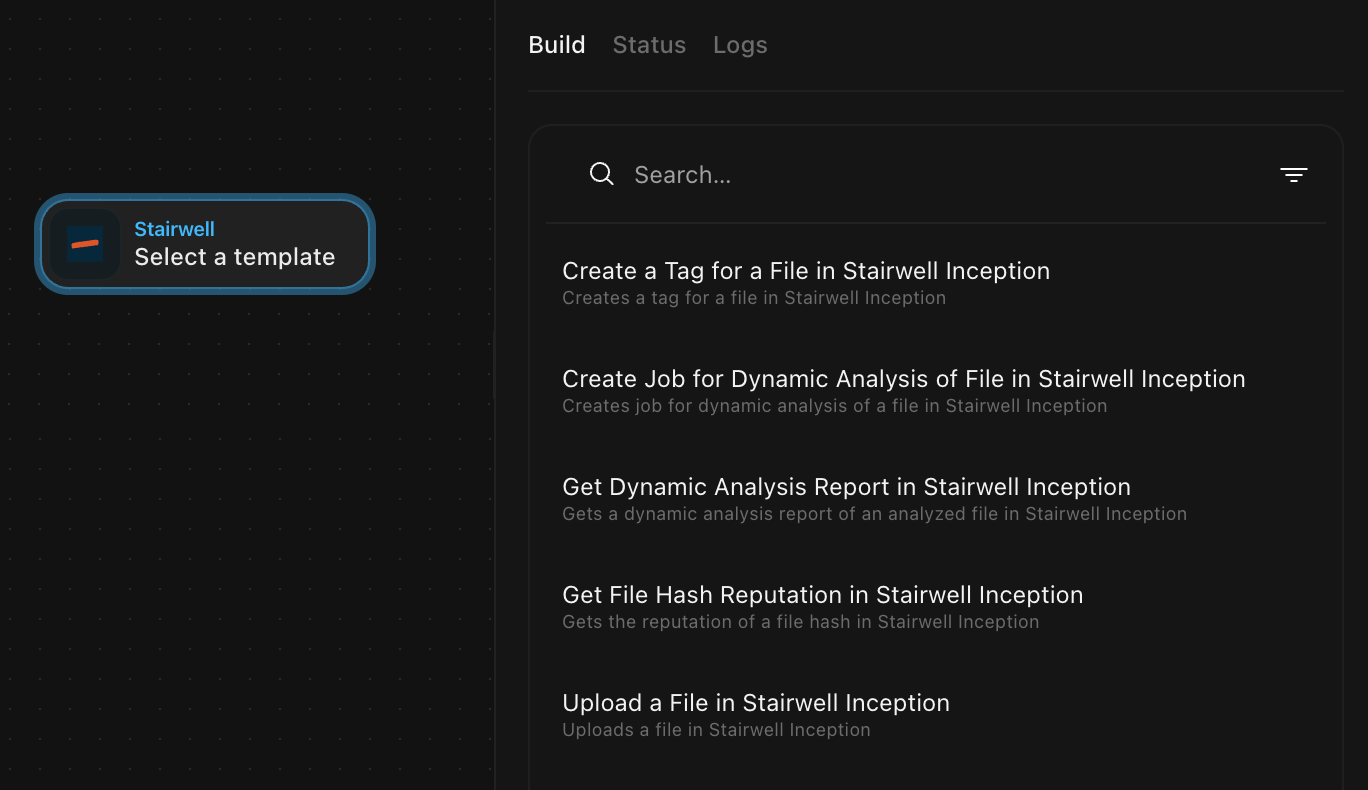
Available Templates
Run to Ground (RTG) in Stairwell
Automate Stairwell’s Run to Ground process to enrich indicators or files.
Flow Overview
- HTTP Request: Trigger RTG in Stairwell
- Event Transform: Normalize the response
- Event Transform: Iterate over RTG results
- Output: Send enriched data to other tools (e.g., Slack, CrowdStrike, or a webhook)
Example Use Case: Automatically enrich suspicious hashes detected in your SIEM using Stairwell intelligence.
Get File Hash Reputation
Retrieve Stairwell’s reputation data for a file hash.
Action: Get File Hash Reputation in Stairwell
Input: SHA256 hash
Output: Reputation score, threat confidence, and correlated detections
Use this to enrich detection workflows with contextual threat data from Stairwell.
Get Dynamic Analysis Report
Fetch dynamic analysis results for a previously uploaded file.
Action: Get Dynamic Analysis Report in Stairwell
Output: Behavioral analysis details including file activity, indicators, and detections.
Add behavioral insights directly to your incident investigation pipelines.
Upload a File
Submit files to Stairwell automatically for analysis.
Action: Upload a File in Stairwell
Use Case: Automate file submission from EDR, email security, or sandbox tools.
Create a Tag for a File
Apply metadata tags to files in Stairwell.
Action: Create a Tag for a File in Stairwell
Use Case: Track investigation states such as Under Review, Malicious, or Closed.
Create Job for Dynamic Analysis
Launch a dynamic analysis job on an uploaded file.
Action: Create Job for Dynamic Analysis of File in Stairwell
Use Case: Automate detonation of suspicious binaries as part of your triage process.
Updated about 22 hours ago